

Web Terminal
Launch an interactive browser-based terminal session on the master node using ttyd.
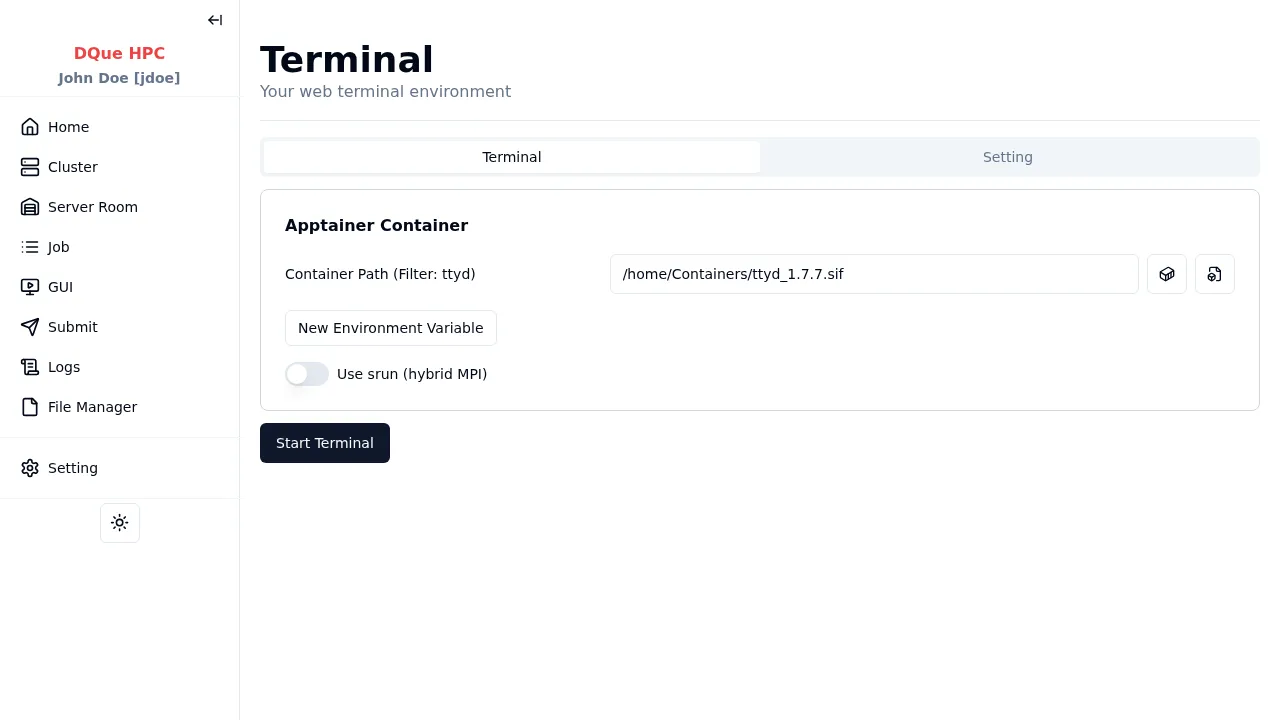
Step 1: Apptainer Container Configuration
Section titled “Step 1: Apptainer Container Configuration”- Container Path — path to the Apptainer container for the terminal environment (required). Select from the dropdown or browse for a custom path.
Step 2: Start Terminal
Section titled “Step 2: Start Terminal”Click Start Terminal to launch the terminal service. The page updates to show connection controls once the terminal is running.
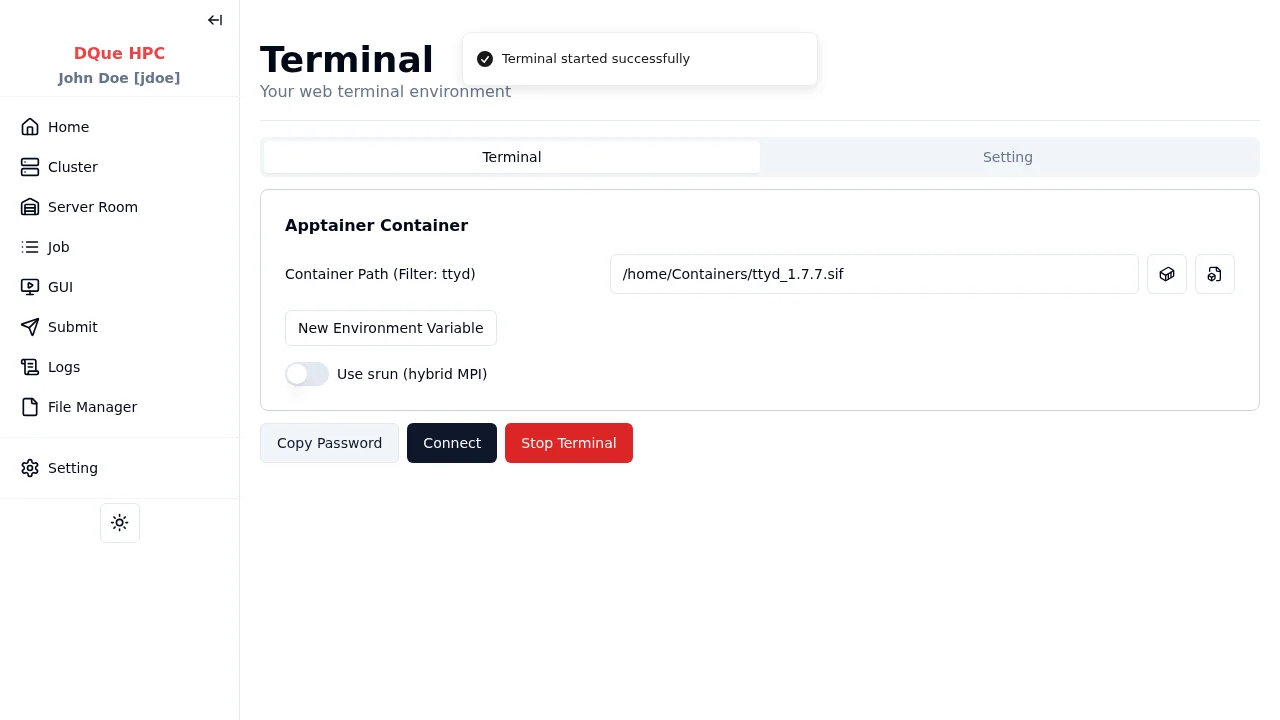
Step 3: Connect
Section titled “Step 3: Connect”- Click Copy Password to copy the session password.
- Click Connect to open the terminal in a new browser tab.
- Enter the password to access the terminal.
Step 4: Stop Terminal
Section titled “Step 4: Stop Terminal”When finished, click Stop Terminal to terminate the session.
The session also appears on the GUI Sessions page under Development Sessions.