Skip to content

Job Monitor

This page allows you to submit new jobs and monitor your existing jobs.

Job Management Screen

The job management interface displays your current and past jobs in a table format with the following columns:

  • Job ID: Unique identifier for your Slurm job.
  • Job Name: Name of your job (specified at submission time).
  • Partition: The Slurm partition where the job is running.
  • Status: Current job status (PENDING, RUNNING, COMPLETED, FAILED, etc.).
  • Elapsed: Time elapsed since the job started.
  • Time Limit: Maximum allowed runtime for the job.
  • Node Count: Number of nodes allocated to the job.
  • Cores: Number of CPU cores allocated to the job.
  • Memory: Amount of memory allocated to the job.
  • Operations: Buttons to perform actions on the job (view details, cancel, etc.).

Click on a job ID to view detailed information about the job, including:

  • Full Slurm job information
  • Standard output and error logs
  • Job script used for submission
  • Resource utilization graphs (if available)

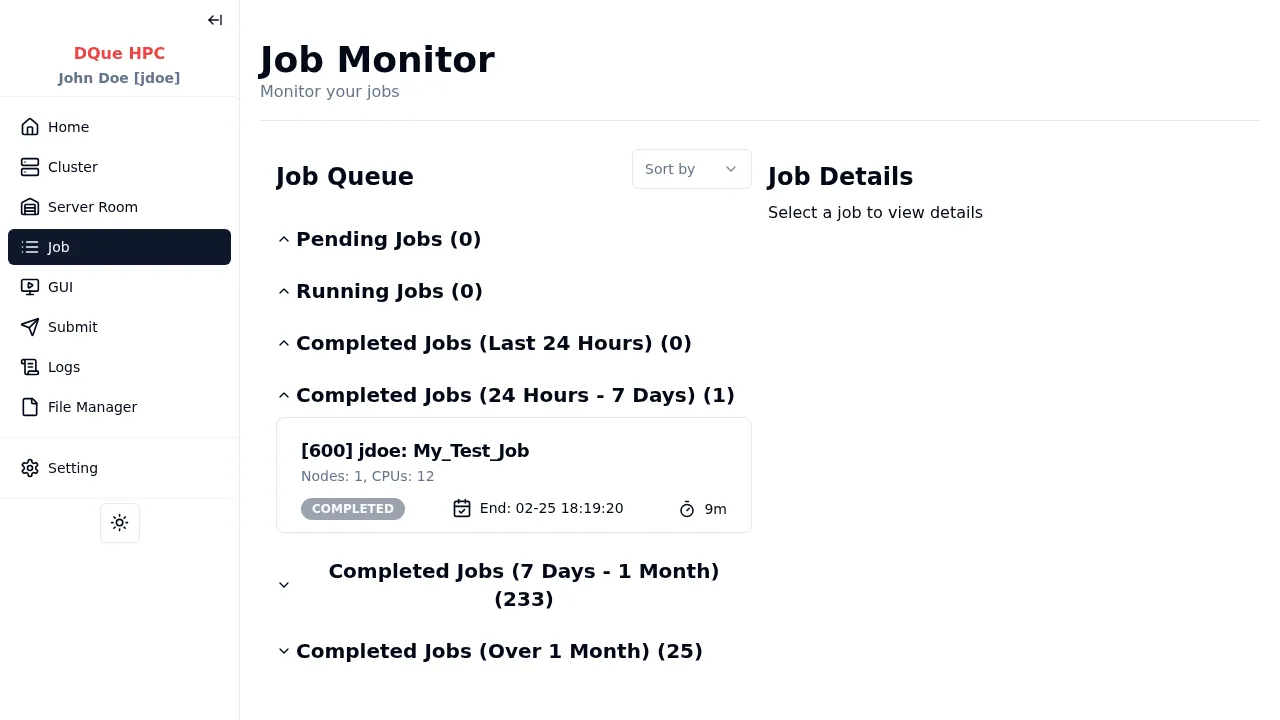
The main area lists jobs categorized by their status:

  • Pending Jobs: Jobs waiting to be scheduled and run.
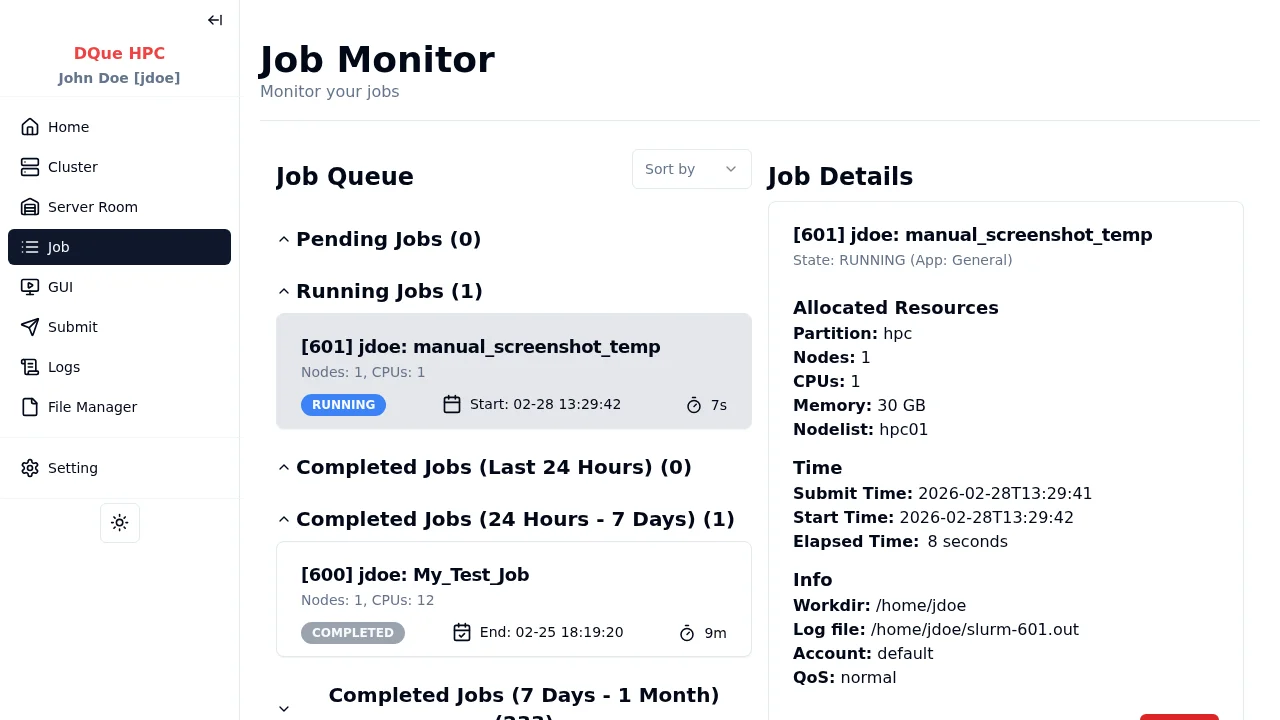
  • Running Jobs: Jobs currently executing on the cluster. Each running job entry shows:
    • Job ID, username, and job name (e.g., [1020] root: My_Test_Job).
    • Requested resources (Nodes, CPUs).
    • Job status (RUNNING).
    • Start time.
    • Elapsed run time.
  • Completed Jobs (Last 24 Hours / 24 Hours - 7 Days / etc.): Sections listing recently completed jobs, grouped by time frame.

Clicking on a job in any section will display its details in the panel on the right.

When a job is selected from the queue, this panel shows comprehensive information:

  • Job ID, Username, Job Name, State: Basic identification and current status.
  • Allocated Resources:
    • Partition: The Slurm partition the job is running in.
    • Nodes: Number of nodes allocated.
    • CPUs: Number of CPU cores allocated.
    • Memory: Amount of memory allocated.
    • Nodelist: Specific nodes allocated to the job.
  • Time:
    • Submit Time: When the job was submitted.
    • Start Time: When the job began execution.
  • Info:
    • Workdir: The working directory for the job.
    • Log file: Path to the Slurm output/log file.
    • Account: The account associated with the job.
    • QoS: Quality of Service level applied.
  • Cancel Button: Allows you to terminate a selected running or pending job.

A “Sort by” dropdown (though seemingly inactive in the screenshot) might allow sorting the job lists based on different criteria in future versions.