

Apptainer Builder
Build Apptainer/Singularity container images (.sif files) as SLURM batch jobs. You can build from a Docker image or from a definition file.
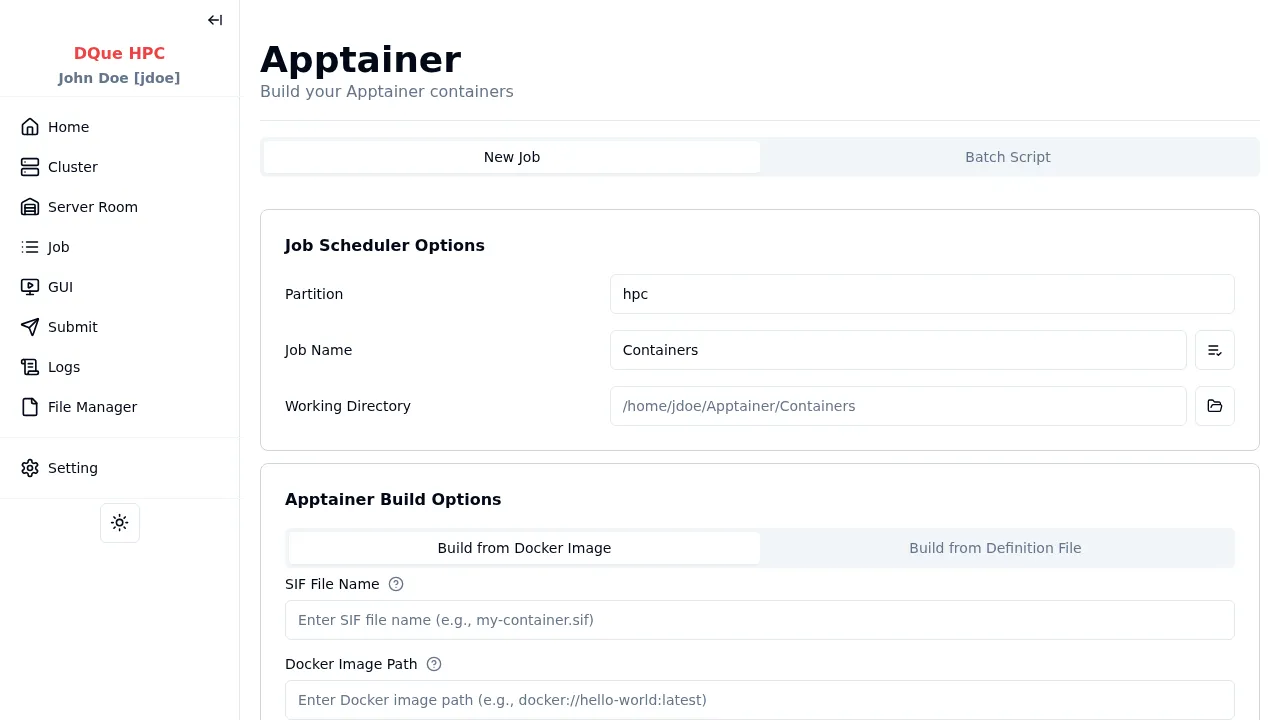
Job Scheduler Options
Section titled “Job Scheduler Options”Only basic fields are shown (no advanced section):
- Partition — select the partition for the build job.
- Job Name — assign a name for the build job.
- Working Directory — where the
.sifoutput file is saved.
Build Modes
Section titled “Build Modes”- SIF File Name — name for the output
.siffile (required) - Docker Image Path — Docker image reference using
docker://prefix (e.g.,docker://ubuntu:22.04)
- SIF File Name — name for the output
.siffile (required) - Definition File Path — path to an Apptainer
.deffile on the cluster. Use the Select button to browse, or click Create New to write a new definition file in a dialog.
Advanced Apptainer Build Options
Section titled “Advanced Apptainer Build Options”| Option | Description |
|---|---|
| Build Arguments | Key-value pairs replacing {{ variable }} in definition files |
| Build Arg File | Path to a file containing build arguments |
| Fakeroot | Build appearing as root user |
| Force | Overwrite existing image |
| Sandbox | Build as a writable chroot directory |
| Encrypt | Build with encrypted filesystem |
NVIDIA Support (--nv) | Inject host NVIDIA libraries |
NVIDIA Container CLI (--nvccli) | Use NVIDIA Container CLI |
| ROCm Support | Inject AMD ROCm libraries |
| Writable Tmpfs | Use writable tmpfs overlay |
| Disable Cache | Build without using cache |
| Library URL | Custom library URL for pulling images |
| Bind Paths | Paths to bind-mount during build |
| Sections | Specific sections to build from definition file |
Build duration varies based on container complexity. Monitor progress on the Job Logs page.